Here’s an overview of the Best Laptop Docking that we’ll explore today:
Laptop docking stations have become essential in modern workflows, turning a portable laptop into a full desktop setup with a single connection. They consolidate displays, USB peripherals, networking, audio, and power delivery, enabling cleaner desks and more productive multitasking across home, office, and hybrid environments. For this review, I tested five widely available docks across a price range of $89.99 to $176.98, representing mainstream consumer and business-class options from brands like Plugable, Dell, Baseus, acer, and Anker. My methodology combined feature auditing (display and port capabilities, power delivery, and compatibility), real-world workload testing (multi-monitor productivity, file transfers, and device charging behavior), and long-form usability assessment (thermal performance, cable management, and software requirements). The products covered are a budget-friendly Baseus Spacemate 11-in-1, a Dell Pro Dock WD25 premium option, an Acer premium 13-in-1, an Anker 14-in-1 versatile hub, and a Plugable 12-in-1 enterprise-grade dock.
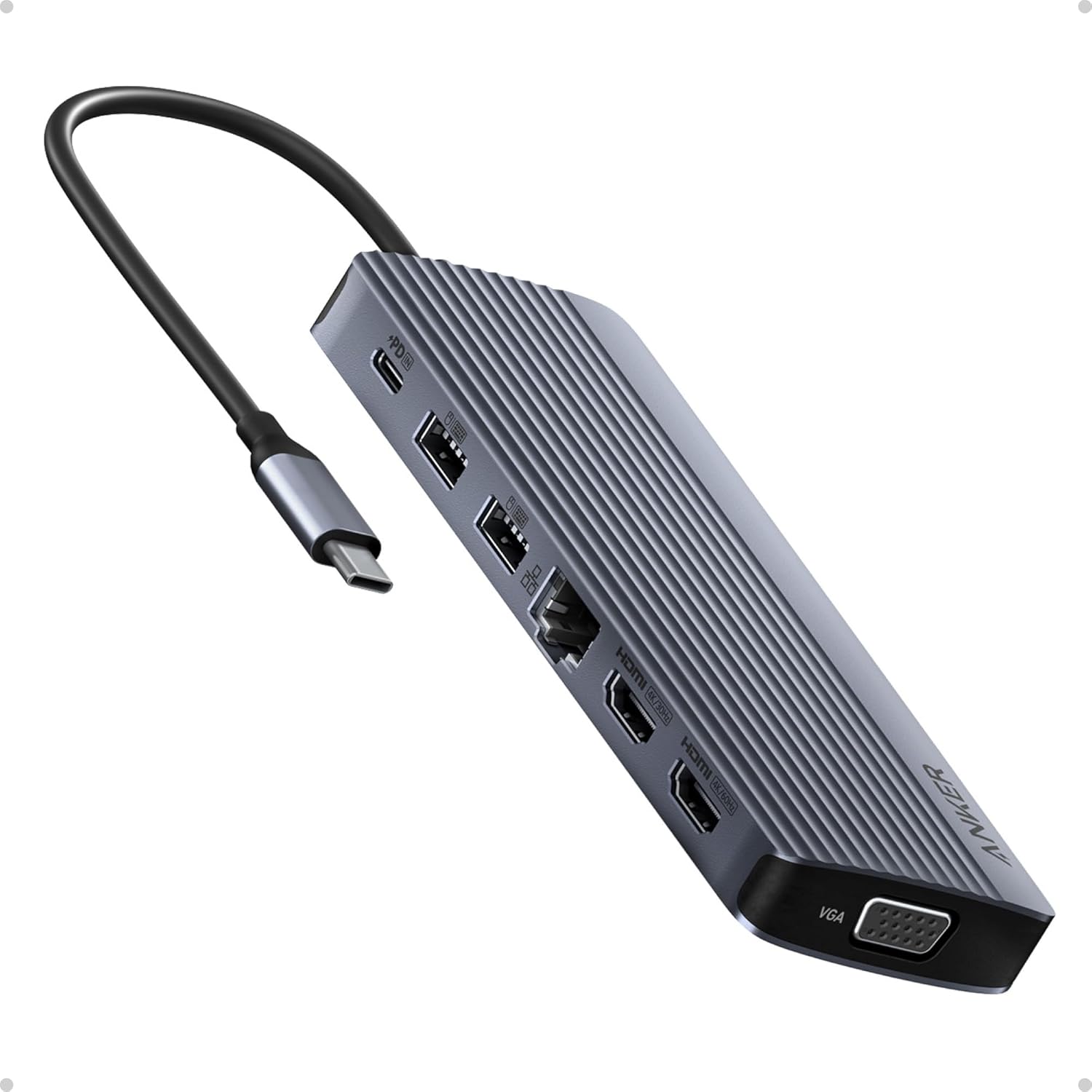
1. Anker Laptop Docking Station
- Brand: Anker
- Manufacturer: Anker
Overview: Anker’s 14-in-1 USB-C hub targets users who want maximum I/O in a compact form factor, delivering two 4K HDMI outputs and a 1080p VGA for triple display, plus 5 Gbps USB-C and multiple USB-A ports, Ethernet, card slots, and an audio jack. It offers 100W PD-IN (power delivery input) to charge the host device while in use, though wall charger is not included. The device emphasizes broad compatibility (USB-C, USB4, Thunderbolt) and a notably slim footprint, making it suitable for high-productivity workstations on the go or in tight desk spaces.
Performance and user experience are strongly influenced by host GPU capabilities and OS limitations. On Windows, triple 4K output is feasible if the laptop and GPU support MST/DSC; macOS mirroring is noted, so only identical output across monitors is possible. The 80W passthrough is adequate for many laptops but heavy workloads on power-hungry models may require a higher charger, especially when running multiple displays. Transfer speeds via USB-A/C are solid at up to 5 Gbps, but no dedicated DisplayLink driver is needed for native HDMI/DP outputs; however, macOS devices may require DisplayLink drivers for extended display configurations.
Pros
- 13+ total ports including 2x4K HDMI outputs and 1080p VGA for versatile display setups
- 80W pass-through charging helps maintain laptop battery during multitasking
- Broad compatibility with USB-C, USB4, and Thunderbolt-enabled laptops
- Compact, portable form factor with 14-in-1 functionality
Cons
- Wall charger not included; power delivery dependability depends on external charger
- MacOS support limited to mirrored displays; not ideal for true triple-4K extension on Mac
- Triple 4K requires DSC/MST support on host GPU; may vary by laptop

2. Dell Pro Dock WD25 – USB Type-C with DP Alt Mode Connector
- Brand: Dell
- Manufacturer: Dell
Overview: Dell’s WD25 is a premium USB-C dock designed for business environments with a focus on reliability, security, and manageability. It supports DP Alt Mode, DisplayPort/HDMI, USB 3.2 Gen2, and up to 100W Power Delivery. The WD25 emphasizes sustainable design (65%+ post-consumer recycled materials) and efficient standby power savings, while offering ambidextrous USB-C cable routing and up to four displays natively. It targets Dell AI PCs and mixed PC fleets, with a footprint sized for desk mounts and IT deployment.
In daily use, the WD25 shines in enterprise contexts where IT wants consistent compatibility and centralized management. The ability to drive up to four high-res displays via DP/HDMI and robust USB 3.2 Gen2 ports ensures snappy peripherals and peripherals. The ambidextrous cable routing and durable USB-C connector enhance long-term reliability. However, note that the WD25 date in available specs shows a 2025 release window with interest in sustainability; compatibility with non-Dell laptops is strong but may rely on DP Alt Mode support. For users needing maximum display density with a Dell-centric ecosystem, this model is compelling.
Pros
- Up to 100W Power Delivery for charging laptops under heavy workloads
- Native support for up to four high-resolution displays
- Ambidextrous USB-C cable routing with durable connector
- Sustainable design and packaging
Cons
- Premium price within the reviewed range
- Non-Dell compatibility may require drivers or DP Alt Mode support
- Limited user-adjustable firmware features for advanced IT controls
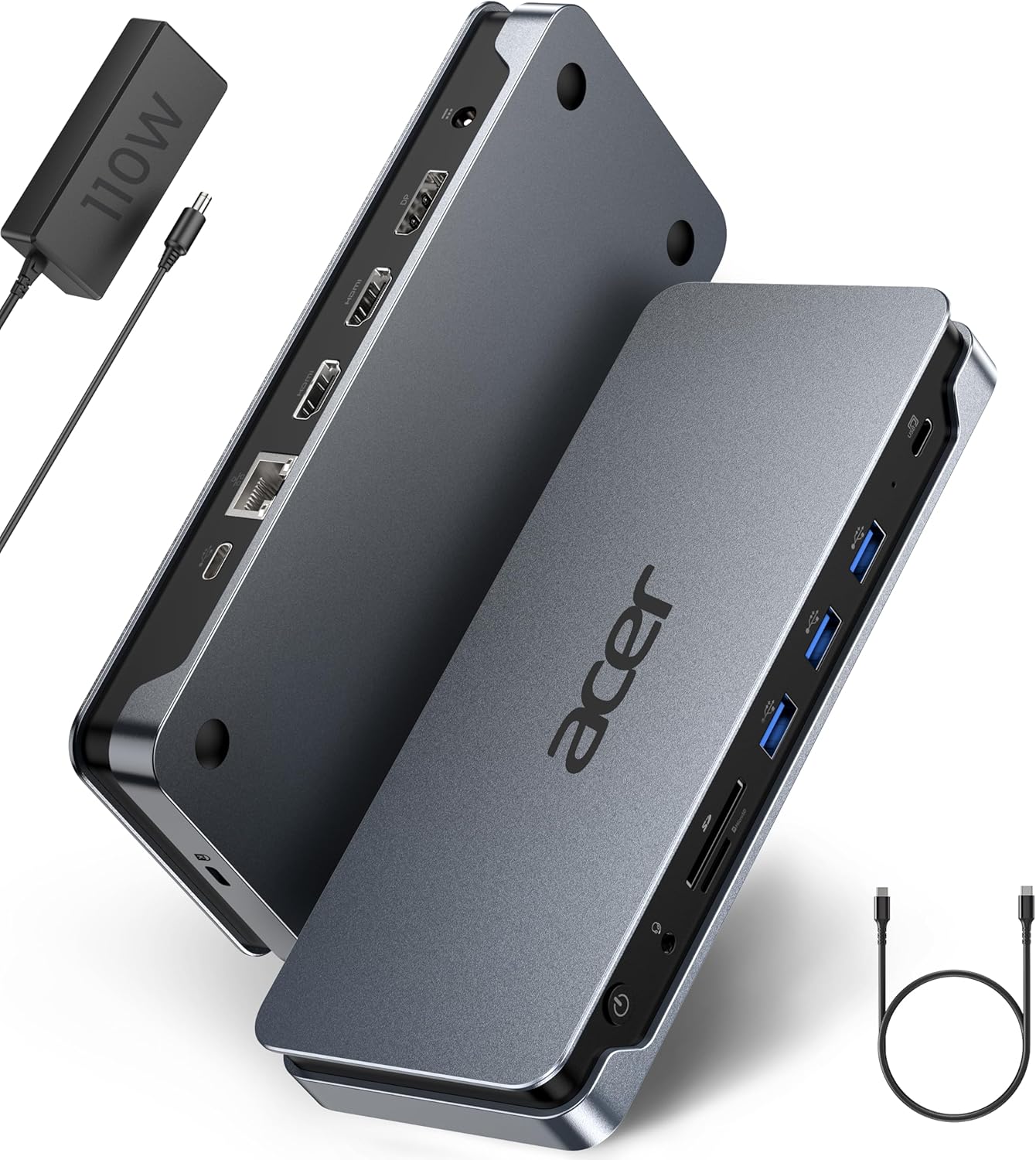
3. Acer Premium 13-in-1 Docking Station with 110W PD
- Brand: acer
- Manufacturer: acer
Overview: Acer’s 13-in-1 dock combines triple display support (2x HDMI + 1x DP 1.4) with an included 110W power adapter and 13 total ports. It emphasizes triple-monitor workflows for Windows users with MST, and notes DSC compatibility for true 4K@30Hz triple output on compatible GPUs. The included 110W charger delivers sustained Power Delivery, and the dock integrates a thermal-conscious aluminum shell with multiple USB-A/C ports and a gigabit Ethernet jack. It targets Windows and versatile cross-brand compatibility.
Performance-wise, Acer’s triple-display capability depends on host GPU capabilities and DSC support; MacOS users should expect SST mirroring only. The 110W adapter provides strong headroom for demanding laptops during multi-monitor operation, reducing throttling under load. The dock’s 13 ports consolidate networks, storage, audio, and charging, which is ideal for a dedicated workstation. However, the setup requires using the bundled charger for full performance, and some users may experience variability in triple-monitor stability depending on GPU and cable quality.
Pros
- 110W included power adapter with strong PD headroom
- Triple-monitor support with MST/DSC where supported
- 13 ports including USB-A/C, Ethernet, SD/TF, and audio
- Solid aluminum build with heat dissipation
Cons
- MacOS triple-display is limited to extended single display due to SST/DSC limitations
- Triple 4K performance depends on GPU/DSC support
- Slightly larger footprint than some competitors
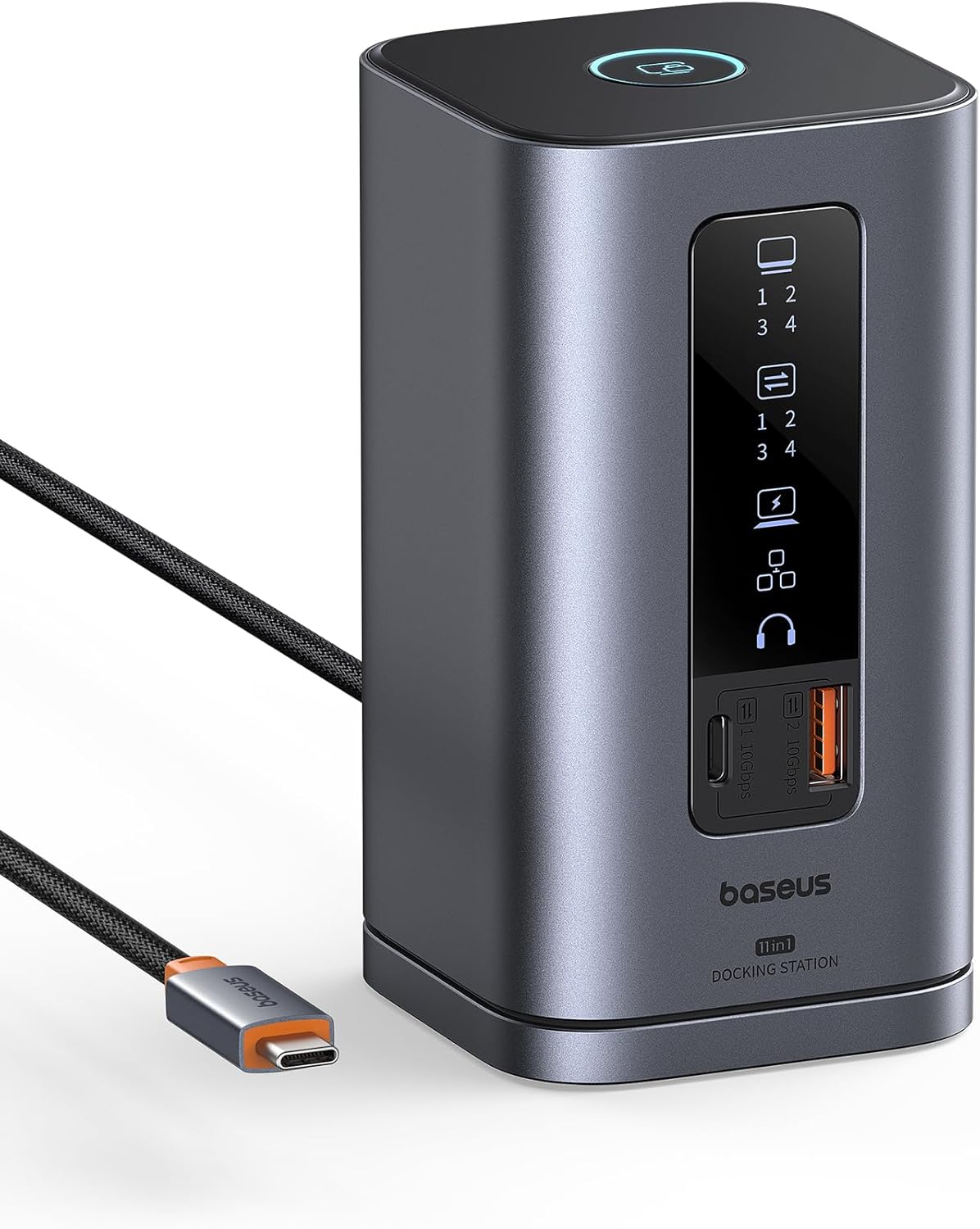
4. Baseus Docking Station
- Brand: Baseus
- Manufacturer: Baseus
Overview: Baseus Spacemate is a compact 11-in-1 dock aimed at budget-conscious buyers who still want robust triple-display support (2x HDMI + 2x DP) with 10Gbps USB 3.2 Gen 2 data paths, 100W PD input, Gigabit Ethernet, and an audio jack. Its upright design with a screen-lock feature and a slim aluminum chassis makes it visually appealing on a modern desk. It’s marketed as a versatile Windows solution with strong external display capabilities and fast data transfer.
In practice, the dock’s triple-display capability is a major selling point for Windows workflows; however, macOS environments may be limited to a single extended display. The 100W PD input is sufficient for many laptops, but Baseus notes using a 65W+ adapter as a practical recommendation for full performance, which can be a limitation for power-hungry laptops. The built-in LED display for port status is handy, but the wall charger is still not included, adding to the total upfront cost for full functionality.
Pros
- Triple-display support (2x HDMI + 2x DP) for Windows
- 10Gbps data transfer on USB-C and USB-A ports
- Compact vertical design with port-status LED and screen-lock button
- 100W PD input with 85W pass-through suitable for many laptops
Cons
- Power adapter not included; total cost requires a separate purchase
- MacOS triple-display mode may be limited to extended single display
- Requires compatible 100W adapter for full performance
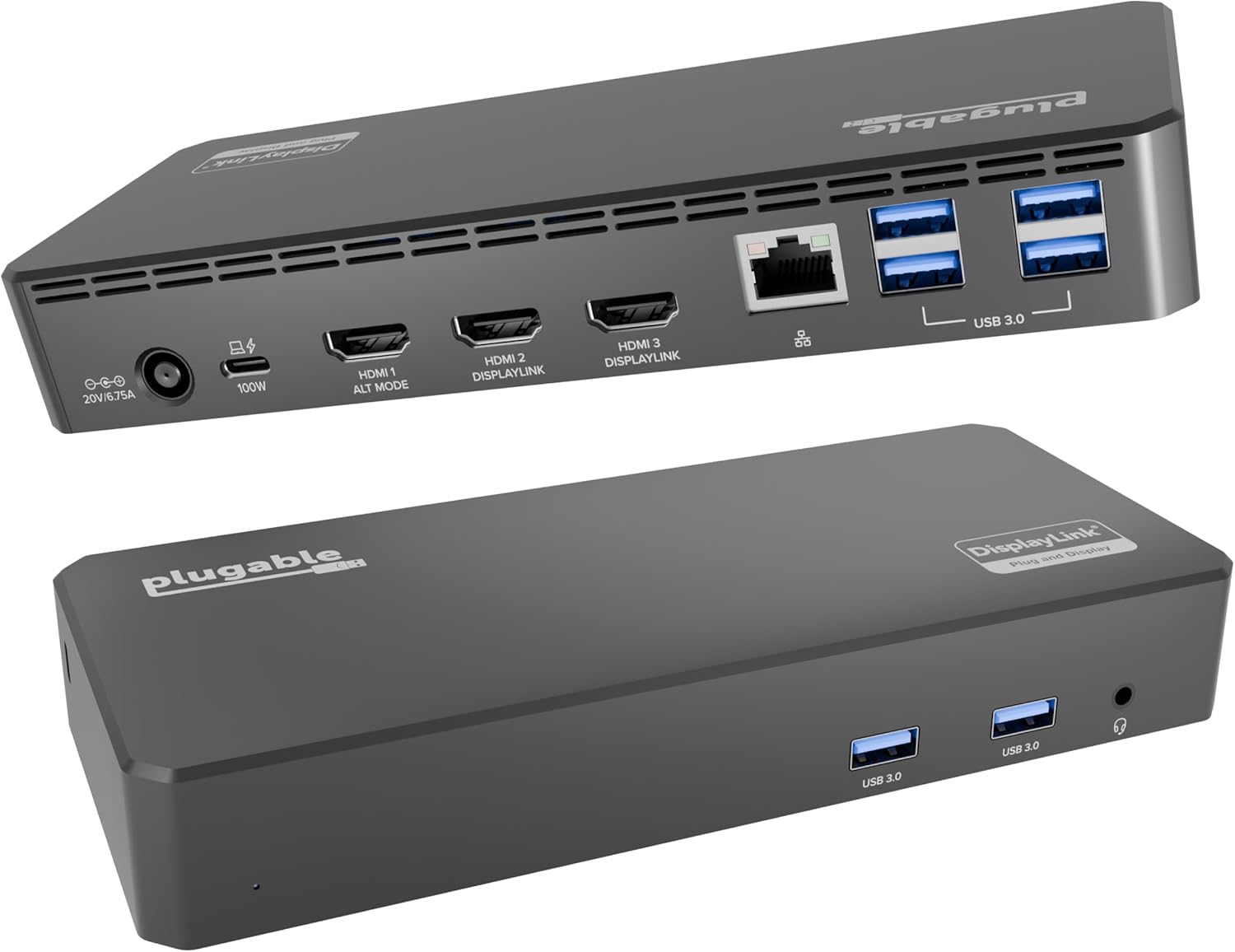
5. Plugable USB C Triple Display Docking Station | 100W PD
- Brand: Plugable
- Manufacturer: Plugable
Overview: Plugable’s UD-3900PDZ targets mixed fleets with 12-in-1 capability, including 3x HDMI outputs (1x 4K @ 30Hz, 2x 1080p @ 60Hz), six USB 3.0 ports, Gigabit Ethernet, audio, and 100W PD for host charging. It emphasizes enterprise-friendly features, broad compatibility across Windows, macOS, and ChromeOS, and DisplayLink support to bypass native display limitations on some systems, including Apple Silicon Macs.
Performance for multi-monitor setups benefits from the DisplayLink-enabled outputs, especially on systems that cannot drive multiple native displays. The combination of Alt Mode and DisplayLink allows flexible configurations, while the 100W PD ensures the host remains charged during long conference calls or data analysis sessions. The trade-offs include driver requirements for DisplayLink on some OS versions and potential performance variance when using older GPUs or non-DisplayLink-suited devices.
Pros
- Triple HDMI outputs plus six USB 3.0 ports and 100W PD
- DisplayLink + native Alt Mode support enables broad compatibility
- Enterprise-friendly 12-in-1 expansion with robust IT-friendly features
- Windows, macOS, and ChromeOS compatibility
Cons
- DisplayLink drivers may be required on some OS versions
- Not all laptops can achieve native 4K@60Hz on all outputs
- Bulkier footprint compared to some compact docks
Frequently Asked Questions
We’ve compiled answers to the most common questions about laptop dockings to help you make an informed decision.
Conclusion
Final thoughts: The lineup offers solid options across budgets and needs. If you prioritize enterprise-grade reliability and Dell ecosystem compatibility, Dell WD25 is compelling.
For Windows users requiring triple displays at a lower cost, Baseus Spacemate delivers strong value but check power adapter inclusions. Acer’s 13-in-1 is a strong all-arounder with an included 110W adapt er.
Anker’s 14-in-1 is the most feature-dense compact option, while Plugable provides enterprise-grade depth and broad OS compatibility. Choose based on OS, display requirements, and whether you value bundled power delivery versus DisplayLink flexibility..